Server Configuration - Connected Users
The Connected Users section of the Server Configuration Portal allows you to see the users currently connected to the Server Component and broadcast a message to all users if required.
Within the list of users currently connected to the server, you are able to see the User Name (This is the Windows Active Directory Username), Computer Name, Number of Active Instances and the number of Active Projects along with a summary of this information.
Clicking on any of the User Names will display the Details pane including the System Information of the machine being used and a name of the active projects for that user.
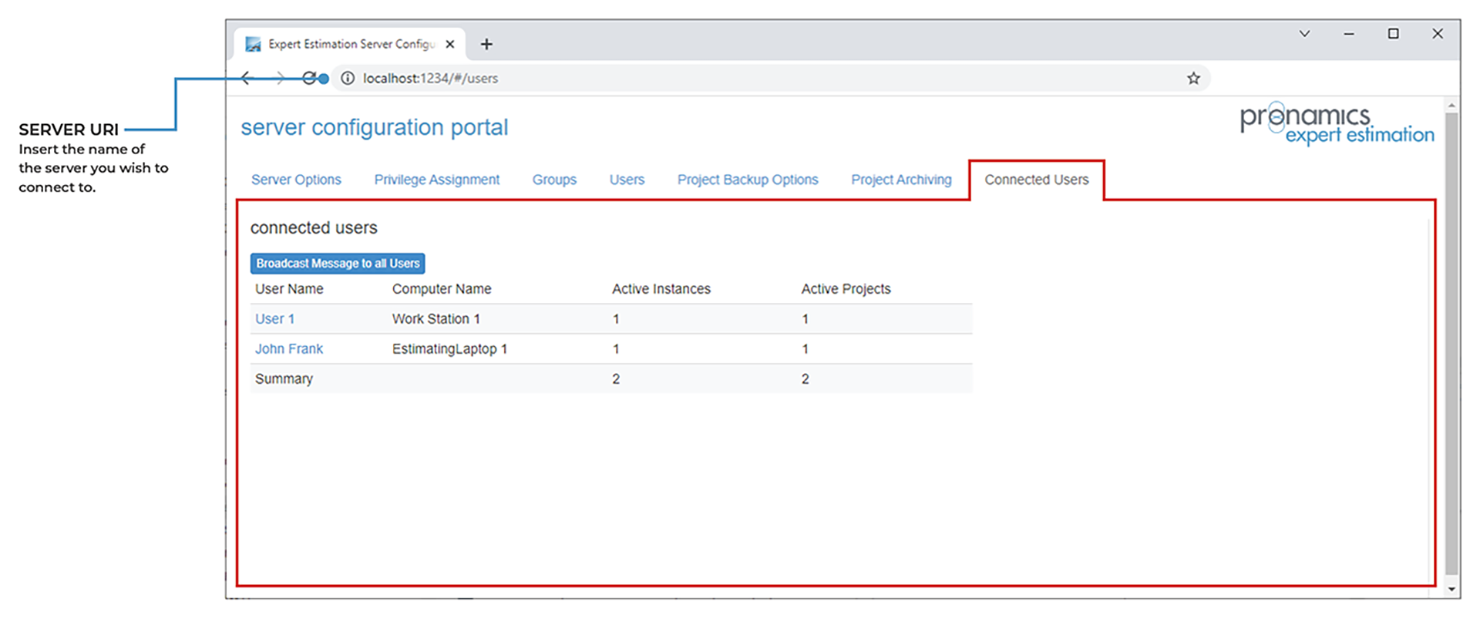
Server Configuration – Connected Users tab
BROADCAST MESSAGE
On the Connected Users’ tab of the Server Configuration, the Broadcast Message to all Users button will allow you to send a message to all users connected to this server component. This will first display a pop-up dialog box allowing you to enter Contact Details and a message that will appear on all client instances after pressing Ok.
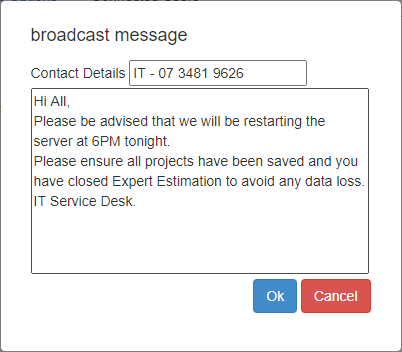
Server Configuration dialog – Broadcast Message