Metric Details Report
Genesis edition only.
The Metric Details report provides a printable breakdown of the Metrics in the current project and their calculation sheet information. 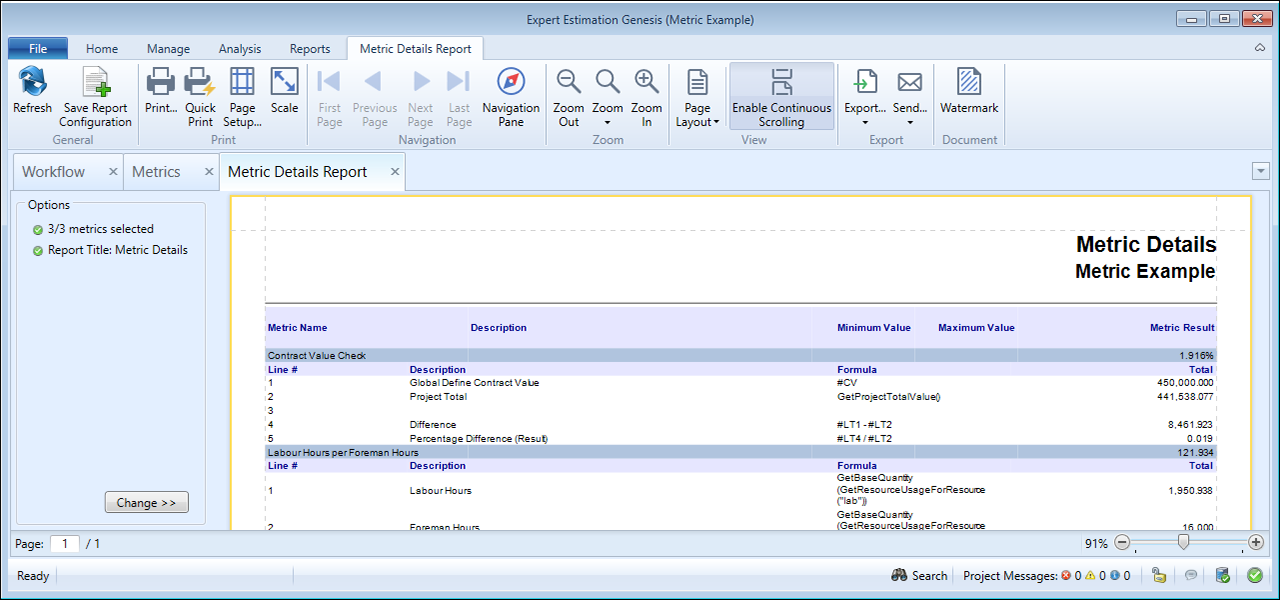
Metric Details Report
REPORT
This report will display the following information:
- Metric Name
- Description
- Minimum Value
- Maximum Value
- Metric Result
- Line #
- Description
- Formula
- Total
FORMATTING OPTIONS
The format of the data can be changed by clicking the Change >> button, in the bottom left-hand corner in the Options section of the report.
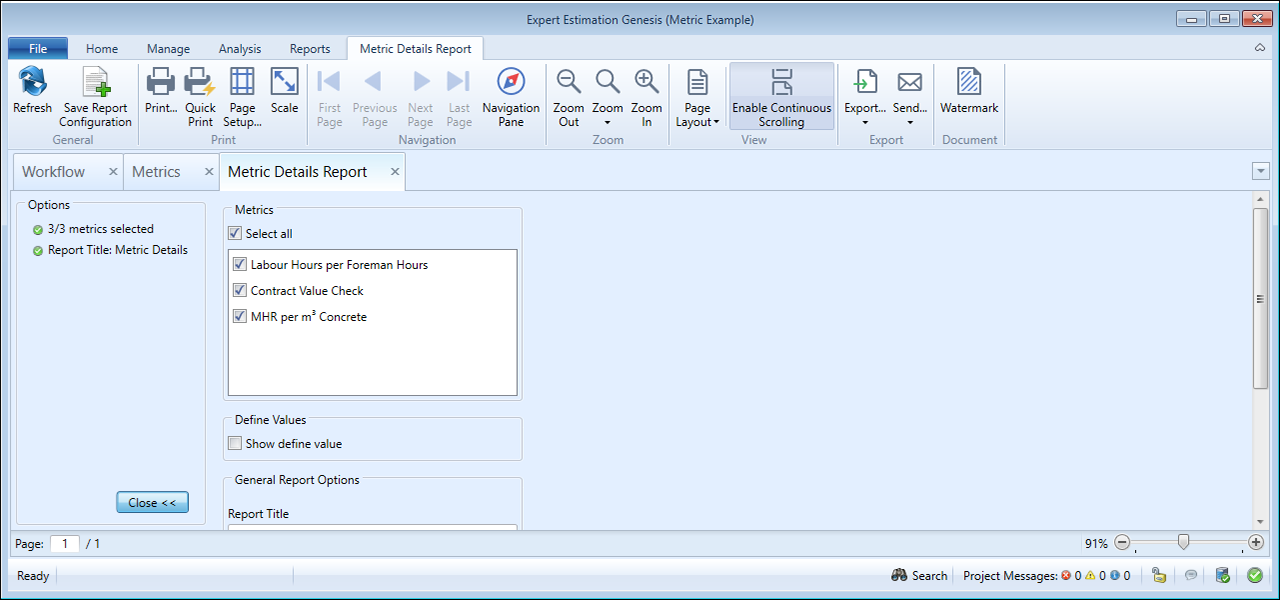
Metric Summary Report - formatting options
| FORMATTING OPTION |
DESCRIPTION |
|---|---|
|
Metrics |
This allows you to select which Metrics to display on the report. |
|
Show Define Value |
When this option is ticked, any defines used in the cost estimate are shown with their assigned value. |
Note: General Report Options are available as standard for this report.